Introduction
Wow!! If you are looking at my blog means you should have heard about containerization technology. And docker is one of the leading tool in containerization world. It is simple tool which runs on Docker Engine.
Advantages of Docker :
- Lightweight and portable.
- Highly scalable
- Helpful in quick deployment
- Platform independent
- Version control
- Increase your efficiency in utilizing system resources

Additional third party software’s
To enable Continuous integration using Talend Platform, you need following software is as prerequisites :
- Install Java
- Install Maven
- Install Jenkins
- Install Nexus
- Install Talend Studio
Let’s Build Docker Image
- Create simple microservice in Talend jobs for our demo.
- This is simple rest api exposed outside where I will be posting my name and it will return a string saying that “Hi Girish !! Welcome to our webinar“

3. Here I have created a simple pipeline project in Jenkins.
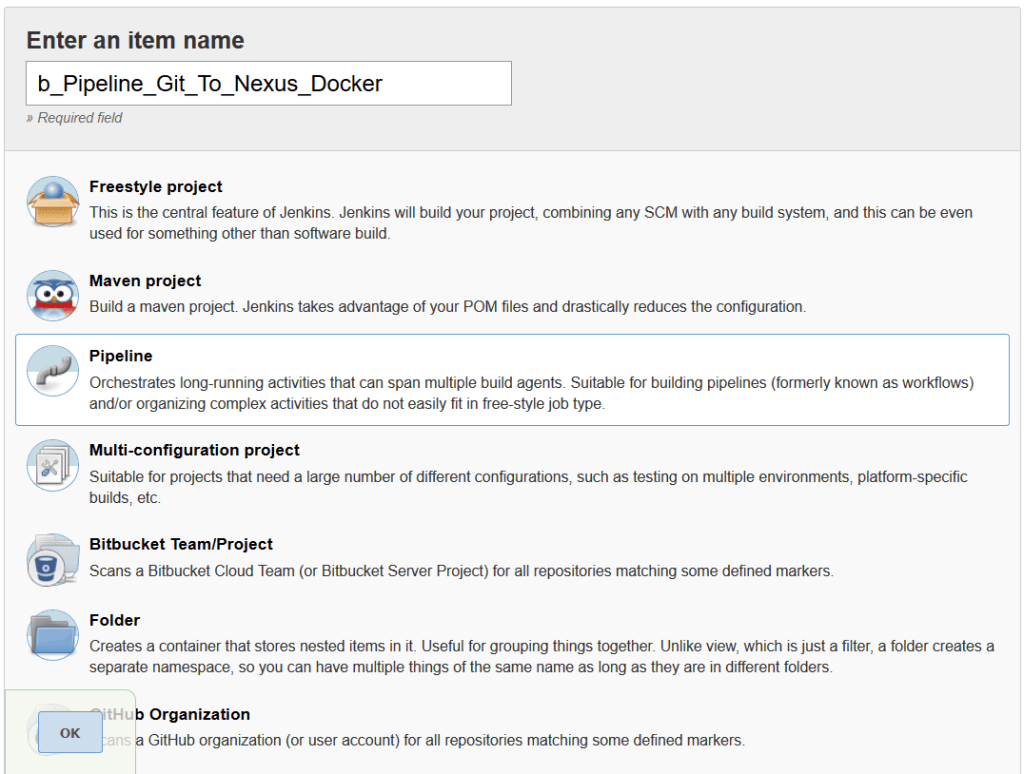
4. There are two way of creating a Pipeline in Jenkins.
- Pipeline Script
- Pipeline Script from SCM
Pipeline Script
This is a simple inline Jenkinsfile which will be write in Jenkins web UI. Here groovy script will be written in Jenkins.
Pipeline Script from SCM
Here pipeline will be create as Jenkinsfile and stored in Source Control Management (i.e. Git). Here important thing needed to be remember while writing a pipeline script is the script should be stored a “Jenkinsfile” filename in root directory of SCM.
And there are two ways to writing a Pipeline file.
- Declarative Pipeline
- Scripted Pipeline
Declarative Pipeline
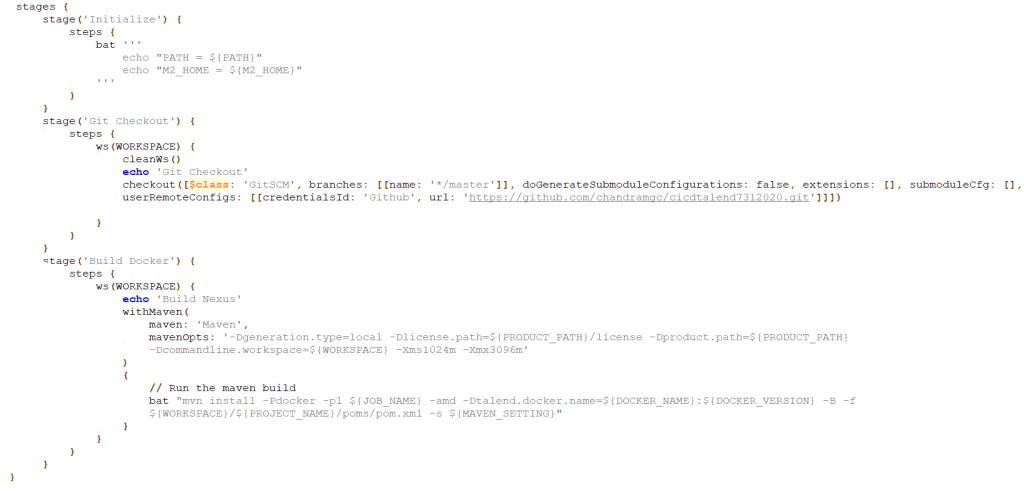
Declarative Pipeline is relatively new that support the pipeline as code where there is configurable pipeline template and it is validated when we build this pipeline. For example in the script there are certain elements like pipeline, agent which are exclusive to Declarative Pipeline. And it also has elements like stages which are common to both Declarative and Scripted Pipeline. These elements validation make this pipeline more easier to read and write.
| pipeline | It is key block of declarative pipeline that contains all script content. |
| agent | It define where the pipeline should be running on. |
| stages | It specify multiple or single stage where each task will be defined. |
| step | It contains executable commands which will be running on your agents. |
Scripted Pipeline
Scripted Pipeline is a traditional way of writing the Jenkins pipeline. Which gives great flexibility and extensibility to Jenkins User. It is basically a DSL build on groovy.
| node | It is key block of scripted pipeline that contains all the script content |
 Talend Best Practices